.png)
Go to following link.
Enable the missing permissions.

Step 1: Check if instagram account is connected to FB page: https://business.facebook.com/latest/settings
If instagram account is not connected, connect the account, and proceed to step 2
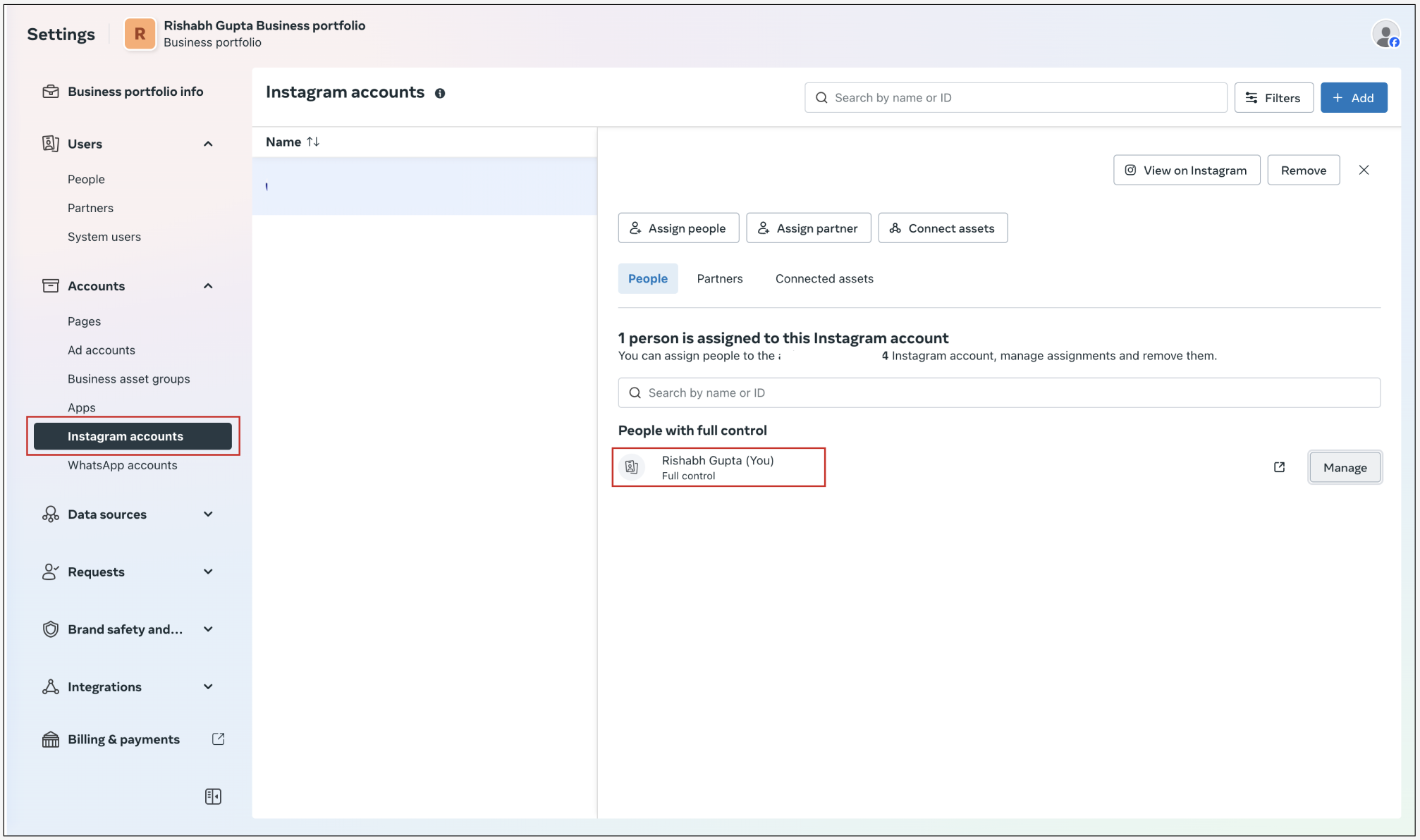
Step 2: Check if message access is enabled: The user is added in people with full control access.
Step 3: In pages, under connected assets, Instagram account is present.
Step 3: In Sub-account >> Settings >> Integration >> settings in FB card, make sure Instagram and FB messaging is enabled.
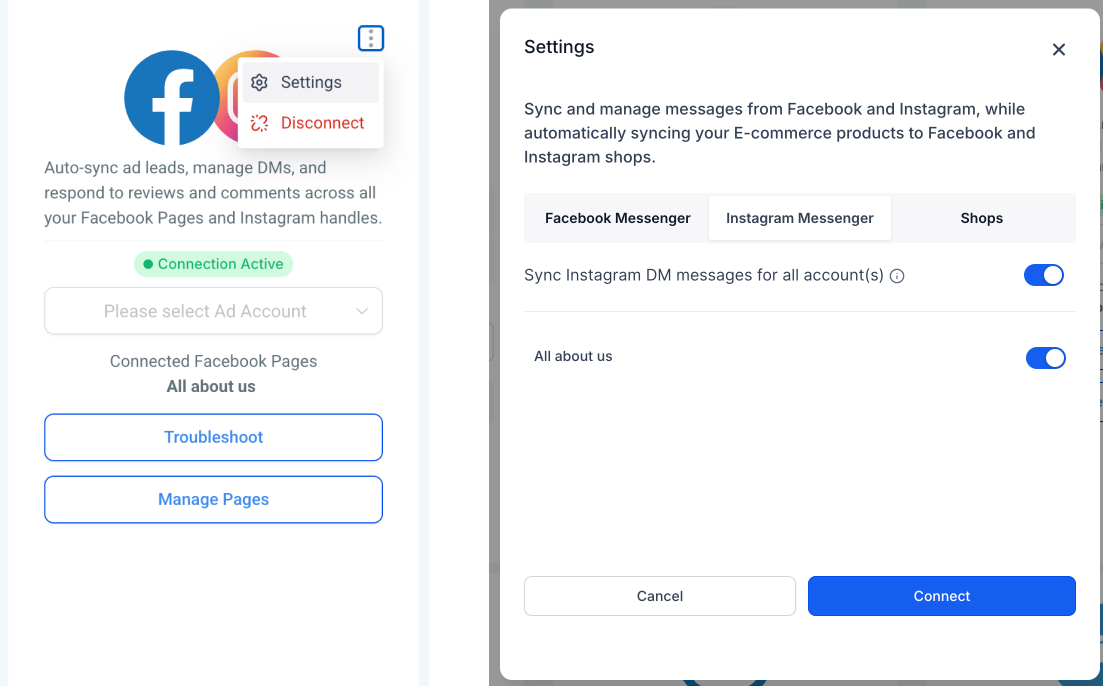
To ensure all settings are enabled, please verify by accessing link: [https://business.facebook.com/latest/settings,](https://business.facebook.com/latest/settings,)
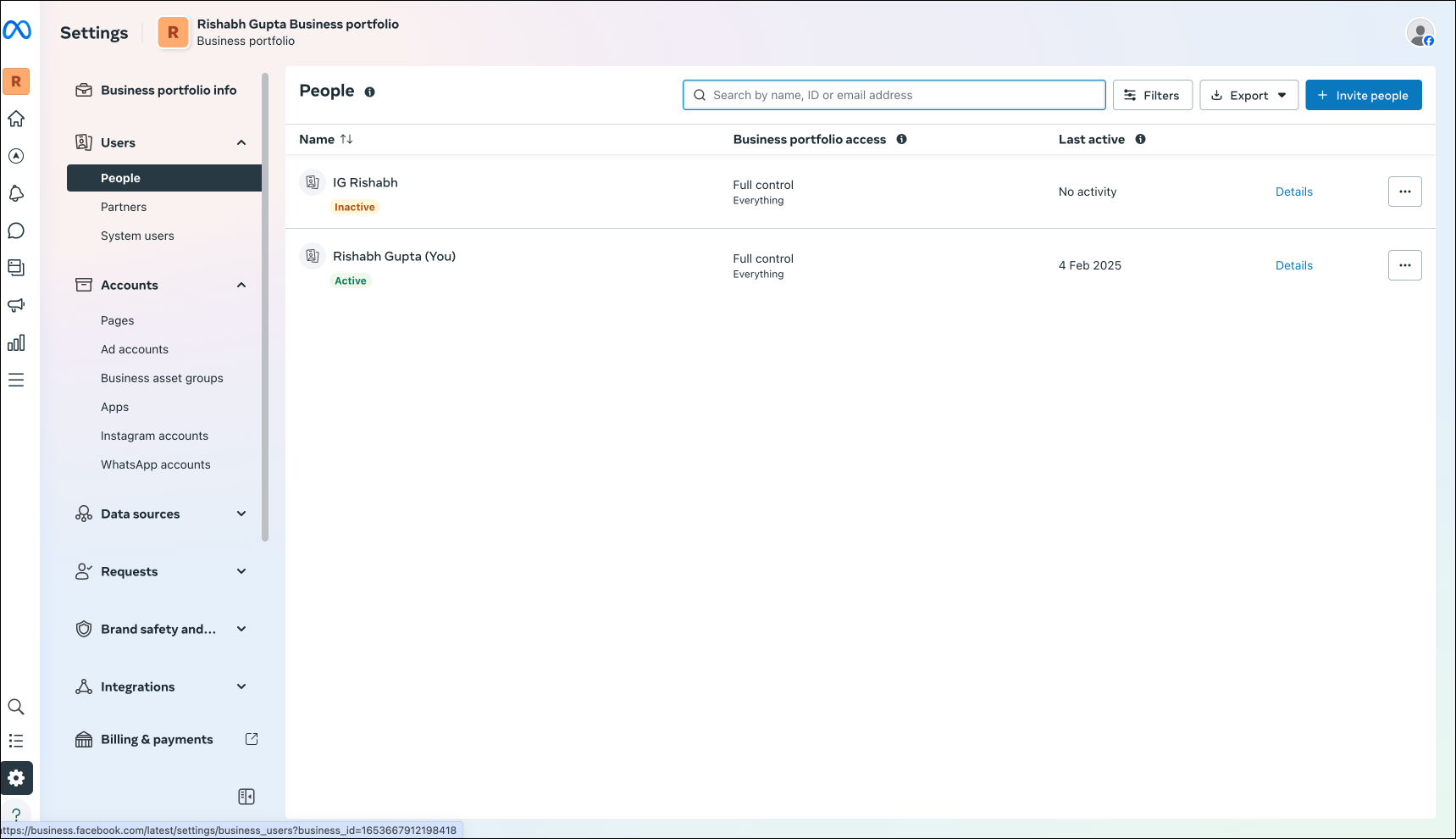
Step 1: Under Users >> people, the user is added and has full control in business portfolio access.